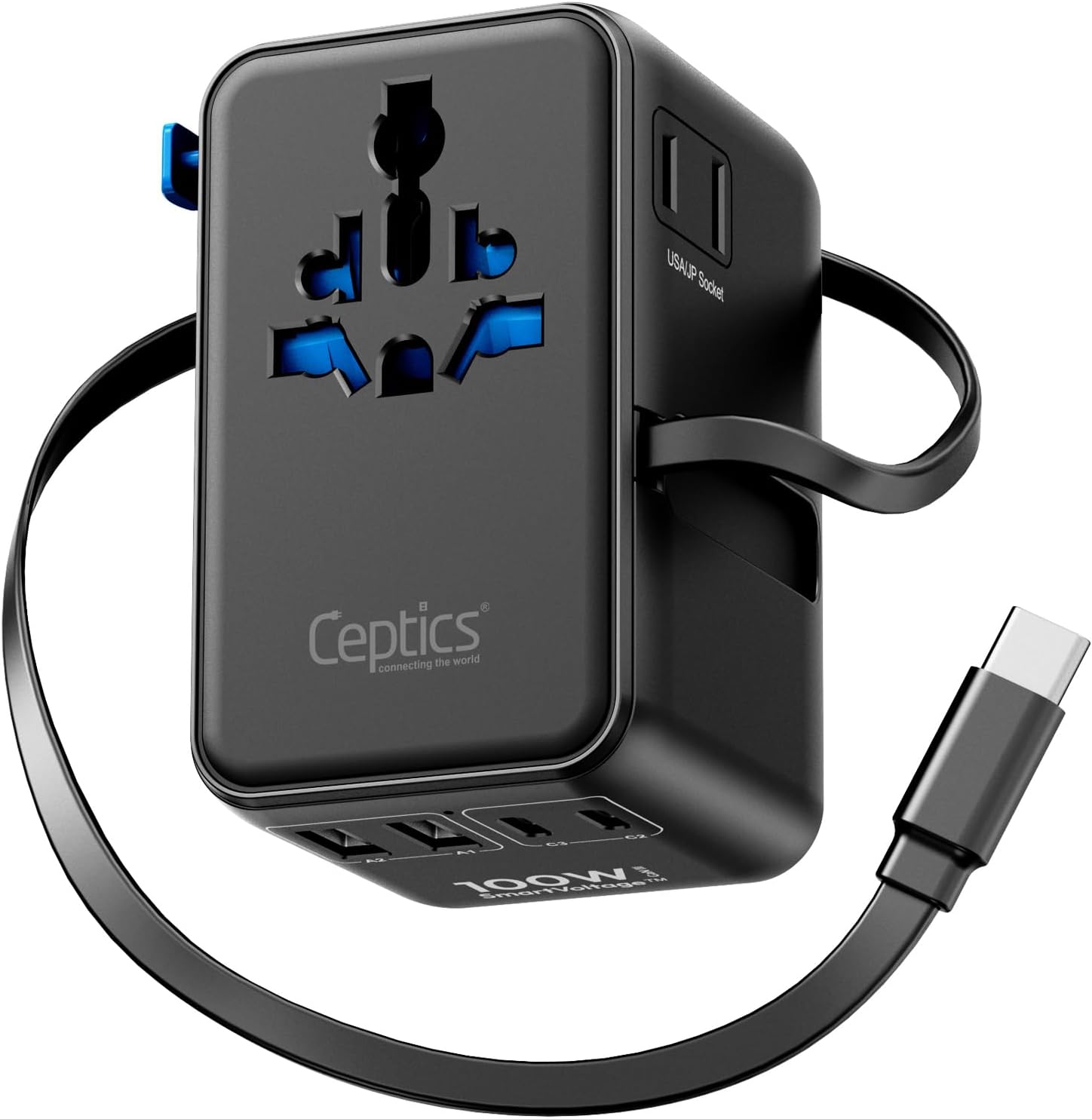
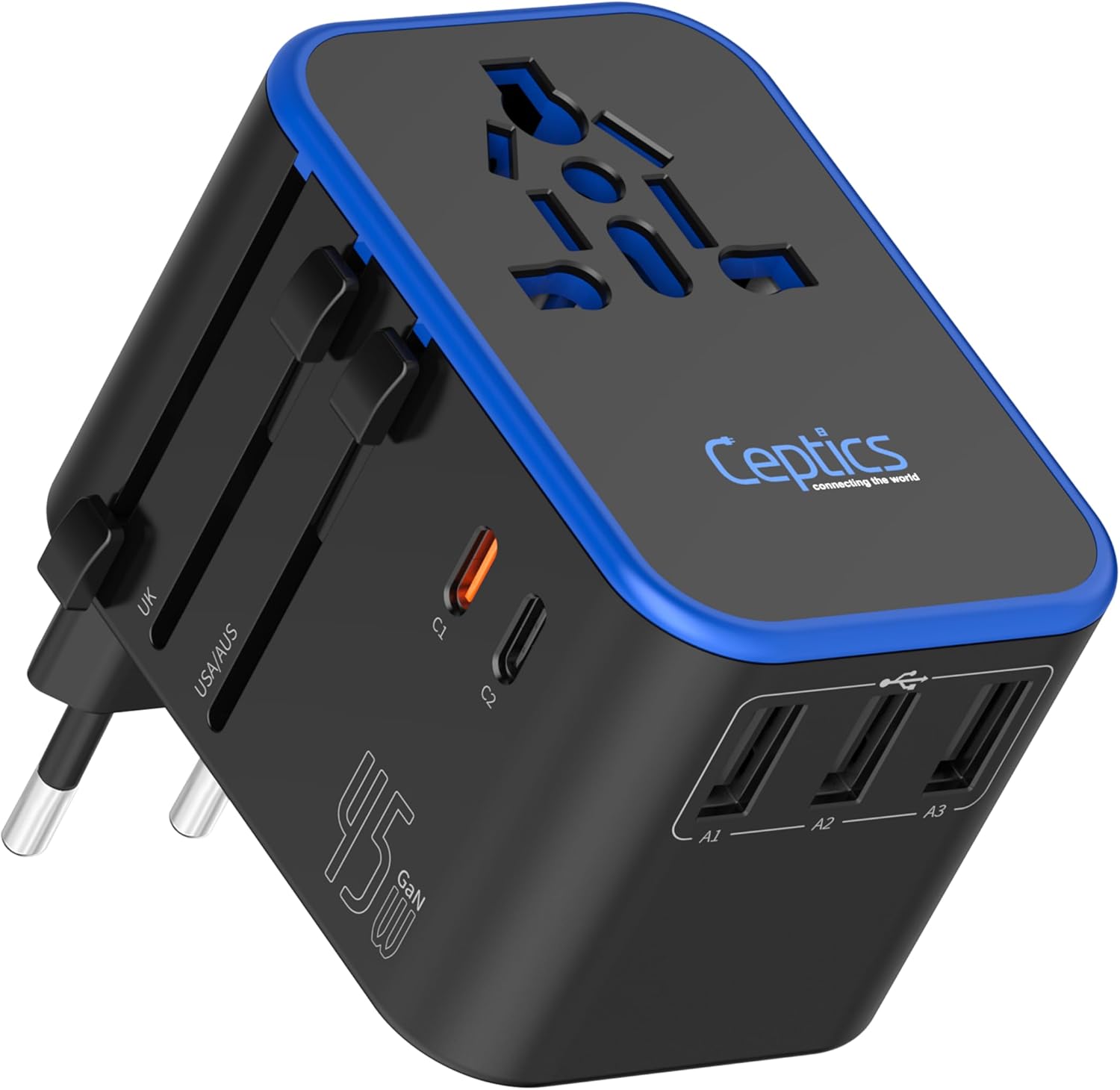
Before you plug anything into a wall socket abroad, it helps to understand what a USB-C travel adapter can and cannot do. A USB-C travel adapter changes the shape of your plug so it fits a foreign outlet; on its own, it does not change voltage. Here is the short version: for most USB-C phones, tablets, and laptops, you need a plug adapter with the right prongs and enough Power Delivery wattage, not a voltage converter.
What a USB-C Travel Adapter Is and Who It Suits
A USB-C travel adapter is a small device that sits between your charger and the wall outlet. Some versions are simple plug-shape adapters with a USB-C socket built in, while others integrate a USB-C charger so you can plug a USB-C cable directly in without carrying a separate charging brick. The difference matters when you compare spec sheets, because a plug-only unit cannot fast-charge a laptop by itself.
This type of adapter suits travelers who carry USB-C devices and want to reduce the charger clutter in their bag. If your laptop charges over USB-C, a Power Delivery-capable travel adapter can often replace both the laptop charger and the plug adapter. It also works well for phones, tablets, earbuds, cameras, and handheld gaming devices that accept USB-C charging. For a full look at the different formats, see our USB-C travel adapters page.
Plug Adapter Versus Voltage Converter
The most common confusion is thinking a plug adapter converts voltage. It does not. A plug adapter only changes the shape of the prongs so they fit a socket in another country. A voltage converter changes the electrical supply from, say, 220-240 volts down to 110-120 volts, or the reverse. These two jobs are completely separate.
Most USB-C chargers are dual-voltage and are marked with an input range such as 100-240V. For those, you only need a plug adapter. If your charger label shows a single voltage, such as 110-120V only, do not plug it into a 220-240V outlet without checking the manufacturer’s instructions and using the proper converter. Devices with motors or heating elements, like hair dryers or travel kettles, may need a converter, but they are not USB-C devices in the first place.
Some universal travel adapters include a built-in voltage converter. They are bulkier and heavier, and you generally do not need one for USB-C charging. If you are still weighing your options, start with the travel adapters overview.
| What it does | Plug adapter | Voltage converter |
|---|---|---|
| Main job | Changes the physical plug shape | Changes the voltage of the outlet current |
| Typical use | Fitting your charger into a foreign socket | Running a device made for one voltage in a country with another |
| USB-C devices | Usually the only thing you need | Almost never needed for dual-voltage USB-C chargers |
Read the label on every charger before you assume. When you are not sure whether a device is dual-voltage, follow the manufacturer’s instructions and err on the side of not plugging it in until you know.
USB-C Power Delivery and Wattage
USB-C Power Delivery, often shortened to PD, is a charging standard that lets a charger and a device talk to each other and negotiate a safe power level. The wattage rating on an adapter is the maximum amount of power it can supply. A device only draws what it needs, so a higher-rated adapter will not overload a phone; it simply has headroom for bigger devices.
The wattage you need depends on what you charge. A phone or pair of earbuds draws far less than a laptop. A common rule of thumb is to choose an adapter rated at or above the wattage your laptop requests, then let the extra headroom cover smaller devices. Check the spec sheet of your device and the adapter instead of guessing from the size of the ports.
PD also affects speed. A USB-C port that lacks Power Delivery support may still charge a phone, but more slowly, and it may not charge a laptop at all. Look for an adapter that clearly lists its USB-C PD rating and tells you which port carries the highest wattage. If an adapter only has one PD port, that is normally the one to use for your laptop.
Multi-Port Adapters and How to Use Them
Multi-port USB-C travel adapters pack two or three USB-C connections, and sometimes a USB-A port, into one block. They are convenient when you want to charge a phone, earbuds, and a laptop from a single outlet, which is especially useful in hotel rooms or airport lounges with a limited number of sockets.
The catch is that total wattage is shared across the ports. When you plug in several devices, the adapter distributes its maximum power among them. Your laptop may slow down its charging, or your phone may trickle-charge while the laptop takes priority. Read the spec sheet to see how the ports share wattage, and plug the highest-power device into the port labeled for it.
Some multi-port adapters also include a pass-through AC outlet for a device that uses a standard plug. If you use that feature, stay within the adapter’s rated load and follow all safety instructions. Never plug high-wattage appliances into a compact travel adapter that is only rated for modest charging loads.
Features That Actually Matter
Beyond the basic plug shape and wattage, a few features make a USB-C travel adapter easier to live with on the road.
- Dual-voltage input so the built-in charging circuitry works across most countries.
- Power Delivery support with clearly labeled wattage per port.
- A recognized safety certification mark on the casing; unmarked adapters are riskier.
- A built-in fuse or surge protection, which adds a layer of safety; learn how to replace the fuse if the adapter has one.
- Foldable or retractable prongs that keep the adapter compact and protect other items in your bag.
- A firm locking mechanism on universal adapters so the prongs do not collapse while plugged in.
- A narrow or offset body so the adapter does not block the next outlet on a power strip.
One useful extra is a short, flexible cable or a cable-management slot, because a heavy adapter hanging from a loose wall socket can stress both the outlet and the cable. When you are ready to buy, compare USB-C travel adapters side by side and check these details on the spec sheet.
Sizing, Fit, and Compatibility
Sizes and plug shapes follow regional standards: the round-pin type used in much of Europe, flat parallel pins in North America and Japan, angled or rectangular pins in the United Kingdom, and other configurations elsewhere. A single-country adapter is small and simple. A universal adapter with sliding or interchangeable prongs covers more destinations but is slightly larger and heavier.
Fit matters more than it looks. Some sockets are recessed, so a bulky adapter will not seat properly. Others are loose, and a top-heavy charger can slowly slide out. A compact, lightweight adapter with a short cable tends to stay put. If the adapter will not seat firmly or the prongs feel loose, try a different outlet and check whether the adapter is designed for that plug type.
Compatibility is not only about the plug. Some laptops require a specific Power Delivery profile, and some phones use an additional protocol such as PPS to reach their fastest charging speed. A general USB-C travel adapter may not support every profile. Compare the spec sheet of your device and the adapter, and keep the manufacturer’s documentation for both. For a deeper comparison of universal units, see the universal travel adapter guide.
Common Buying Mistakes
- Buying a voltage converter when your dual-voltage USB-C charger only needs a plug adapter.
- Assuming every USB-C port on a multi-port adapter delivers the same wattage.
- Ignoring how the adapter splits wattage when several devices are plugged in at once.
- Choosing a single-country adapter for a trip that crosses several countries.
- Not verifying the exact plug type for each destination, since neighboring countries can use different sockets.
- Plugging a high-wattage appliance into a USB travel adapter that is not rated for it.
- Buying an adapter without any safety certification mark just because it is compact.
- Forgetting that power banks and spare lithium batteries belong in carry-on bags, not checked bags, as a general TSA rule; check the current official TSA page and your airline before travel.
A related mistake is skipping the label check. Take a moment to read the input range on your charger and the output ratings on the adapter. That single step prevents most charging problems abroad.
Care, Cleaning, and Upkeep
Keep the adapter dry and clean. Wipe the casing with a dry cloth when it is unplugged, and use a dry cotton swab to remove dust or lint from the prongs and USB-C socket. Never use liquid cleaners near the ports.
Before each trip, inspect the adapter for cracked plastic, bent prongs, or a loose USB-C connection. If anything looks damaged, replace the adapter; do not try to repair it with tape or glue. Pull the adapter out of the outlet by its body, not by the cable.
Store the adapter in a padded pouch or a dedicated pocket, and avoid wrapping the cable tightly around the unit, which can stress the cable over time. Follow the manufacturer’s instructions for cleaning and care, and keep the manual or spec sheet for reference.
FAQ
Do I need a voltage converter for USB-C devices?
Usually not. Most USB-C chargers accept a wide input range such as 100-240V, so you only need a plug adapter. Check the label on your charger. If it lists a single voltage, follow the manufacturer’s instructions and use a proper converter before plugging it into a different voltage outlet.
How much PD wattage do I need?
Match or exceed what your device asks for. The adapter will not push power into the device; the device draws what it needs. Check the spec sheets for both, and pay attention to how a multi-port adapter divides its wattage when you charge several things at once.
Is a USB-C travel adapter allowed in carry-on luggage?
A USB-C travel adapter without a built-in battery is generally fine in carry-on or checked bags. Spare lithium power banks and spare lithium batteries must go in carry-on bags as a general TSA rule. Check the current official TSA guidance and your airline before travel, since rules can change.
Choosing a USB-C travel adapter comes down to three questions: what plugs are used at your destination, what wattage your devices need, and how many devices you like to charge at once. Answer those, and you can pack one compact accessory that keeps everything powered without the guesswork.