 By Emily Parker
Updated November 2026
Yes, you can put a tile tracker in your luggage, whether it’s carry-on or checked. Tile trackers are small Bluetooth devices with no sharp edges and no hazardous materials, so they are generally allowed in both types of bag. The main practical issues are battery life, signal range once the bag leaves your hands, and making sure the tracker stays attached to the bag rather than tucked somewhere it can be lost.
Why a Tile Tracker Is Usually Allowed
Most airlines and security agencies care about items that are dangerous, flammable, or prohibited. A Tile tracker is a plastic and metal disc with a small coin-cell battery inside. It is not a lithium-ion pack, so it does not fall under the lithium battery rules that apply to power banks and loose cells. That makes it a low-concern item for both carry-on and checked luggage.
Your tracker may still be scanned or inspected during screening, but it does not need to be removed from the bag or declared. If a screener asks about it, a quick explanation is enough.
Factors That Affect Whether It Works Well
Being allowed in your luggage and actually being useful are two different things. Several factors decide how well a tile tracker performs once it’s packed:
- Bluetooth range: Standard trackers rely on nearby phones in the Tile network to report location. In a crowded airport this usually works, but in a remote baggage area or a quiet cargo hold it may not update until someone with the app passes close by.
- Battery life: Manufacturers specify replaceable coin-cell batteries that typically last about a year. Check the battery before a long trip.
- Placement: Metal and dense contents can weaken the signal. Placing the tracker in an outer pocket or against the luggage shell usually helps.
- Attachment: A tracker that slides loose inside a bag can end up in the wrong place. Use a secure loop or a dedicated holder.
How to Pack a Tile Tracker Safely
- Confirm the battery is charged or fresh before you leave home.
- Open the Tile app and make sure the tracker shows up and is connected.
- Attach it to a fixed point on the bag, such as the handle, a strap, or an exterior zip pocket.
- Keep it away from the bag’s interior lining where it can get buried under clothes or metal items.
- Test the connection once you are at your destination and again before you leave the airport.
- Check the official Tile site or your airline’s baggage page for current guidance on electronics, since rules can change. Check the official site for current details.
What We’d Use
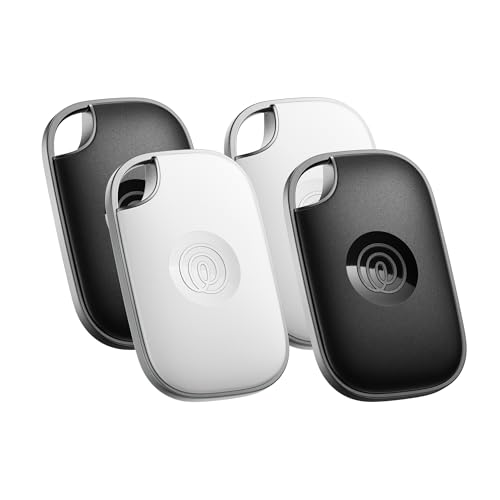
A standard Tile tracker is the most direct choice if you already use the Tile app. Pick a model with a lanyard hole so it can be clipped to a bag handle.
For a secure attachment, a silicone or fabric luggage tag holder with a clip works well. View on Amazon
A small loop-style luggage strap keeps the tracker from shifting during transit. View on Amazon
FAQ
Can a tile tracker go in carry-on or checked luggage?
Yes. Tile trackers contain no lithium-ion battery and no hazardous materials, so they are generally allowed in both carry-on and checked bags. Screeners may still inspect them.
Will a tile tracker work once my bag is in the cargo hold?
It may not update in real time. Tile relies on nearby phones in its network to report location, so updates can pause in areas with few people carrying the app.
How often should I change the battery?
Manufacturers specify that the replaceable coin-cell battery typically lasts about a year. Check it before any long trip, and confirm current battery guidance on the official Tile site.
For related packing questions, see GPS Tracker Device for Luggage vs AirTag: Which Should You Choose? and Can I Put a Camera in Checked Luggage? Rules, Risks and Packing Tips.
Related reading
- Can You Put a Laptop in Checked Luggage? Rules, Packing Tips and Risks
- Can You Put a Computer in Checked Luggage? Rules and Safe Packing
- Can You Put Wrapped Gifts in Checked Luggage? Rules and Packing Tips
Ready to choose one?
About Emily Parker
Emily Parker is part of our editorial team and reviews and edits our luggage & travel tech guides, checking product details against manufacturer specifications and owner feedback.